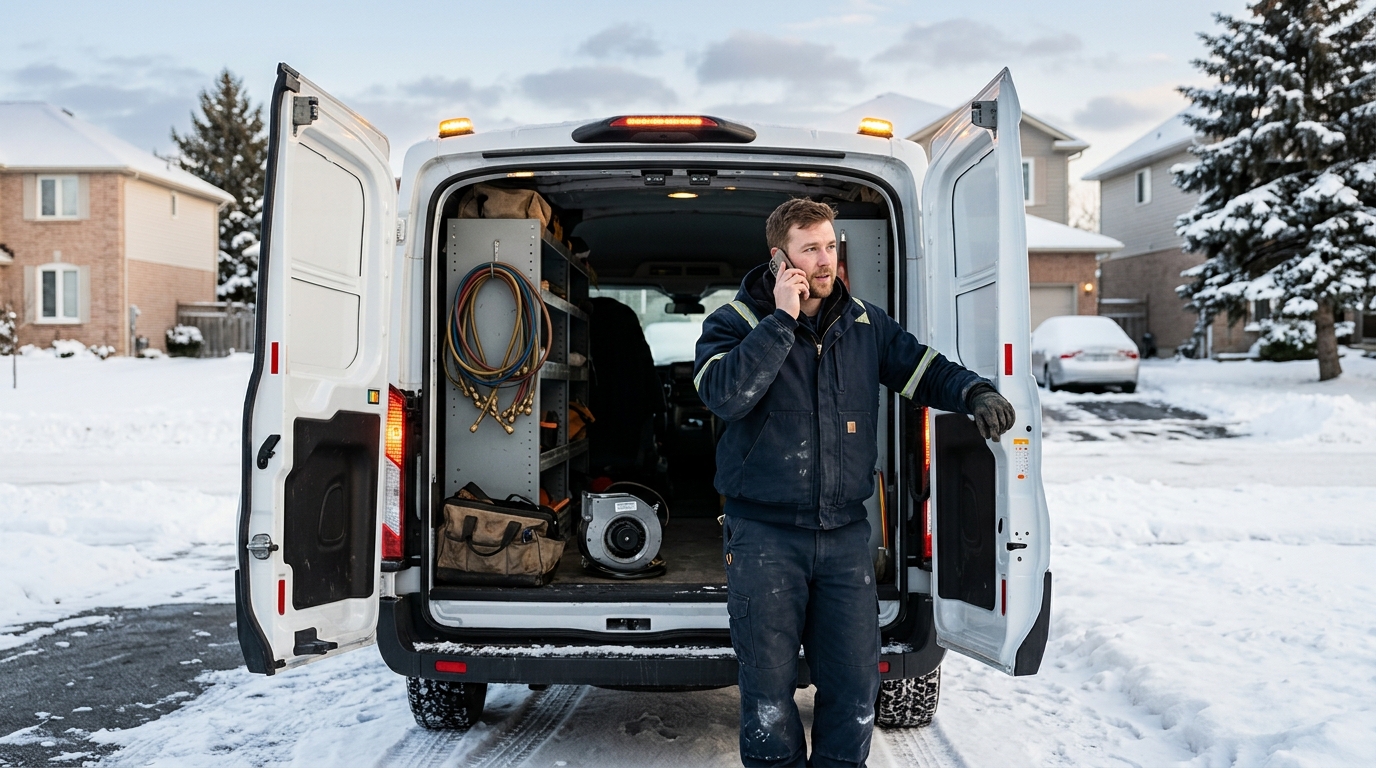
To set up emergency call transfers, you define what counts as an emergency, tell your AI receptionist to screen callers with 2–4 qualifying questions, and route confirmed emergencies to a live person through a ranked on-call list with a fallback voicemail and text alert. Done right, urgent callers reach a human in under 60 seconds, and routine callers still get booked without waking anyone up.
This guide walks through the full setup for service businesses: plumbers, HVAC technicians, property managers, law firms, cleaning companies, landscapers, and anyone else whose phone rings at 9 p.m. on a Saturday. You will get a step-by-step process, a comparison of after-hours options, sample screening scripts, and a checklist for testing before you go live.
Why After-Hours Calls Are Worth Protecting
Nights, weekends, and holidays are when the highest-value calls come in. A burst pipe does not wait for Monday. A tenant locked out at 11 p.m. is calling every property manager in town. A person arrested on a Friday night needs a criminal defense attorney now, not Tuesday.
The pattern is consistent across service industries: callers with urgent problems call until someone answers. If your line goes to a generic voicemail, the next company on the search results page gets the job. Most urgent callers do not leave messages. They hang up and dial the next number.
That makes after-hours coverage a revenue question, not just a customer service one. A single emergency HVAC call in January or a single burst-pipe job can be worth several hundred to several thousand dollars. Missing even two or three a month adds up quickly.
The challenge is that you cannot answer every call personally, and you should not have to. The goal of an after hours answering service is to separate the calls that need a human right now from the ones that can wait until morning, and to do that automatically. That is exactly what emergency call transfers do.
What an Emergency Call Transfer Actually Is
An emergency call transfer is a rule that tells your answering system: when a caller meets certain conditions, stop the normal workflow and connect them to a specific person immediately. The system answers every call, listens, asks a few questions, and decides whether to transfer.
There are three parts to every setup:
- Trigger: what the caller says or answers that marks the call as urgent (for example, "water is flooding the basement" or "no heat and it is 10 degrees").
- Destination: who or what receives the call (your cell phone, a technician on rotation, an attorney on call, or a dispatcher).
- Fallback: what happens if nobody picks up (the next person on the list, a text alert, a voicemail, or a callback promise).
An AI receptionist handles the trigger step well because it can hold a natural conversation, ask follow-up questions, and make a judgment call based on your rules. Traditional phone trees ("press 1 for emergencies") put the burden on the caller, and callers in a panic often press the wrong button or hang up.
After-Hours Options Compared
You have four realistic ways to cover after-hours calls. Here is how they compare for a small service business.
| Opción | Costo típico | Answers every call? | Emergency transfer | Agenda citas |
|---|---|---|---|---|
| Solo buzón de voz | Gratis | No, callers hang up | Ninguno | No |
| Servicio de contestación en vivo | $1–$2.50 per minute or $150–$500+ per month | Yes, during staffed hours | Yes, by scripted agent | Limited, often message-only |
| Owner forwards calls to cell | Gratis | Only if you pick up | Manual | No |
| AI receptionist with transfer rules | Usually a flat monthly plan | Yes, 24/7/365 | Yes, rules-based and instant | Yes, directly into your calendar |
A live answering service works, but the quality depends on the agent who picks up. Agents handle dozens of businesses and read from a script. They often cannot book into your calendar, and costs climb with call volume. An AI receptionist answers every call on the first ring, applies your exact rules every time, and sends you a transcript and summary afterward. For a deeper look at the tradeoffs, see our breakdown of AI receptionists vs. live answering services.
Step 1: Define What Counts as an Emergency
This is the most important step, and most businesses skip it. If everything is an emergency, you will be woken up for a quote request. If nothing is, you will lose the real jobs.
Write a short list of true emergencies for your business. Keep it to situations where waiting until morning causes damage, danger, or legal consequences.
Plumbing:
- Active flooding or a burst pipe
- Sewage backup into the home
- No water at all to the property
- Gas smell (also instruct the caller to hang up and call 911 or the gas utility)
HVAC:
- No heat when outdoor temperatures are below freezing
- No cooling for vulnerable occupants (elderly, infants, medical conditions) during a heat wave
- Burning smell or smoke from equipment
- Carbon monoxide alarm (instruct the caller to leave the building and call 911)
Property management:
- Fire, flood, or major leak
- Lockout with no safe alternative
- Break-in or unsecured door
- No heat or no water in an occupied unit
Law firms:
- Arrest or detention of the caller or a family member
- Court deadlines within 24 hours
- Protective order or immediate safety situations
Cleaning, landscaping, bakeries: true emergencies are rarer. Examples include a fallen tree blocking a driveway, storm damage, a same-day event order failure, or a biohazard cleanup request. For many of these businesses, "urgent" means same-day booking rather than a 2 a.m. phone call.
Then add a second tier: urgent but not midnight-urgent. These calls get booked for the first slot in the morning and flagged in your summary. This tier saves your sleep.
Step 2: Write the Screening Questions
Your AI receptionist needs 2–4 questions to confirm an emergency. More than four and a frightened caller loses patience. Fewer than two and you get false positives.
A good screening flow follows this order:
- Open with empathy and a direct question. "Thanks for calling Ridgeline Plumbing. Are you dealing with an emergency right now?"
- Identify the problem. "Can you tell me what is happening?"
- Confirm severity. "Is water actively flowing, and can you reach the shutoff valve?"
- Capture location and callback number. "What is the address, and what is the best number to reach you?"
Capture the address and callback number before you transfer. If the transfer fails, you still have what you need to call back within minutes. This single habit rescues more jobs than any other part of the setup.
Here is a sample rule set you can adapt:
- If the caller mentions flooding, burst pipe, sewage, gas, fire, or no heat below 32°F, treat as an emergency and transfer.
- If the caller says "not sure" or sounds distressed, treat as an emergency and transfer.
- If the caller describes a dripping faucet, slow drain, or estimate request, book the next available appointment and send a summary.
- If the caller asks for a human by name or demands a person, transfer regardless of topic during on-call hours.
That last rule matters. Never trap a caller in an AI conversation. When someone insists on a person and it is an on-call hour, connect them.
Step 3: Build Your On-Call Routing List
The transfer needs a destination, and a single phone number is a single point of failure. Build a ranked list instead.
A solid routing list looks like this:
- Primary on-call: rings first for 20–25 seconds.
- Secondary on-call: rings next for 20–25 seconds.
- Owner or manager: rings third.
- Fallback: the AI returns to the caller, confirms their details, promises a callback within a set time (such as 15 minutes), and sends a text alert to all three people.
Keep the total ring time under 75 seconds. Beyond that, callers assume no one is coming and hang up.
If you run a team, set up a rotating schedule. Many small HVAC and plumbing shops rotate weekly, so one technician carries the on-call phone Monday to Sunday. Update the schedule in your system before each rotation starts, not on the morning of the handoff.
Holidays deserve their own schedule. Thanksgiving, Christmas Eve, New Year's Day, July 4, and Canadian equivalents like Boxing Day and Canada Day are high-volume emergency days for heating, cooling, and plumbing. Build these into your calendar in advance and confirm who is covering.
Step 4: Use Warm Transfers, Not Cold Ones
A cold transfer drops the caller on whoever answers with no context. A warm transfer tells the on-call person who is calling and why before connecting them.
With a warm transfer, your technician hears something like: "Incoming emergency. Maria Lopez at 412 Oak Street. Basement flooding from a burst pipe, water is still running, she cannot find the shutoff." The technician answers prepared, and the caller does not have to repeat everything while water rises.
Warm transfers also protect your team. If the on-call person sees that the "emergency" is a false alarm, they know before they engage. And if they cannot answer, the caller never hears dead air because the AI stays on the line.
Ask any provider you evaluate whether they support whisper messages or call-context briefings on transfer. It separates basic call forwarding from true emergency routing.
Step 5: Set Up Text and Email Alerts as a Safety Net
Phone transfers fail. Technicians are under a house, in a courtroom, driving through a dead zone, or asleep with the phone on silent. Your system needs a second channel.
Configure an instant text message to every person on the routing list whenever an emergency call comes in, whether or not the transfer succeeds. The text should include:
- Caller name and callback number
- Service address
- One-line description of the problem
- Whether the transfer connected or failed
- A link to the full transcript
This is where call transcriptions and summaries earn their keep. When a transfer is missed, a technician reading a 3-line summary can call back within a minute, already knowing the situation. Without it, they are calling a stranger blind.
Also send a morning digest. Every non-emergency call from overnight should arrive in your inbox as a summary by 6 or 7 a.m., sorted by priority. You start the day with a clear list rather than a voicemail pile.
Step 6: Handle Non-Emergency After-Hours Calls Without Losing Them
Most after-hours calls are not emergencies. They are people researching, comparing quotes, or deciding to finally fix something at 8 p.m. These callers are leads, and they go to whoever responds first.
For non-emergencies, the AI receptionist should:
- Answer questions about services, service areas, and hours
- Collect name, number, address, and job details
- Offer to book the next available appointment directly into your calendar
- Confirm by text so the caller has a record
Direct booking is the difference between "we will call you back" and "you are booked for Tuesday at 9 a.m." Callers who book on the spot are far less likely to keep shopping. If you want the full process, our guide to automating appointment scheduling covers calendar connections and buffer times.
For law firms, this tier looks different. Instead of booking a service visit, the AI captures case type, urgency, and conflict-check details, then schedules a consultation. For bakeries, it takes custom order inquiries and pickup dates. For cleaning companies, it quotes ranges and books walkthroughs.
Step 7: Test Before You Go Live
Never launch an emergency system untested. Spend one hour running through these scenarios, ideally with a friend or employee calling from an unfamiliar number:
- Clear emergency: confirm the call transfers to your primary within 60 seconds.
- Primary does not answer: confirm it moves to the secondary, then the owner.
- Nobody answers: confirm the caller hears a clear callback promise and all three people receive a text.
- Non-emergency: confirm the call books an appointment and does not ring anyone.
- Borderline call: describe a vague problem and see how the AI handles it.
- Caller demands a human: confirm the transfer happens.
- Holiday schedule: change your system date or schedule and confirm the right person rings.
Listen to the recordings afterward. You will almost always find one or two phrases to tweak, such as a question that sounds too clinical or a step that takes too long.
Then review real calls weekly for the first month. Check false positives (non-emergencies that woke someone) and false negatives (emergencies that were not transferred). Adjust the trigger list based on what you find. Most businesses settle into a stable rule set within 3–4 weeks.
Common Mistakes to Avoid
- Making the emergency list too broad. Your on-call person burns out and starts ignoring alerts.
- Relying on one phone number. One dead battery should not lose a $3,000 job.
- Skipping the callback promise. If a transfer fails and the caller hears nothing, they call a competitor.
- Forgetting holidays. Rotation schedules often lapse on the exact days demand spikes.
- Not capturing the address first. A transfer without an address is a lost job if the line drops.
- Ignoring safety scripts. For gas smells, carbon monoxide alarms, fires, or medical danger, the AI should tell callers to contact 911 first, then transfer to you.
- Never reviewing call logs. Rules need tuning against real calls.
Setting Up Emergency Transfers With an AI Receptionist
The setup sequence for most AI receptionist platforms takes under a day. The general order is:
- Forward your business line to the AI receptionist number, or use call forwarding after set hours.
- Enter your business details: services, service area, hours, and pricing guidance.
- Define your emergency triggers and screening questions using the lists above.
- Add your on-call list with ring order and timeouts.
- Connect your calendar for non-emergency bookings.
- Turn on text and email alerts, plus the morning digest.
- Run the test scenarios, then go live.
For a fuller walkthrough of the onboarding side, see how to set up an AI receptionist for your business.
Many businesses start by covering only after-hours and overflow calls, then expand to full-time coverage once they see the call summaries and booking results. That staged approach lowers risk and builds trust with your team.
What Good After-Hours Coverage Looks Like in Practice
Picture a three-technician HVAC company on a January night when it is 8°F outside.
At 10:40 p.m., a homeowner calls: no heat, two small children at home. The AI answers on the first ring, asks if it is an emergency, hears "no heat and it is freezing," confirms the address and number, and transfers to the on-call technician with a whisper briefing. The technician answers, confirms a 45-minute arrival, and the job is booked before the caller finishes making tea.
At 10:52 p.m., a second caller asks for a quote on a new thermostat. The AI books a Wednesday 2 p.m. visit and texts confirmation. No one is woken up.
At 11:15 p.m., a third caller reports a furnace clicking noise but the heat is still working. The AI books the first morning slot and flags it as "monitor, possible failing igniter." The owner reads it at 6:30 a.m. over coffee.
That is three calls, three correct outcomes, one interrupted night of sleep. Without the system, the first caller likely reaches voicemail and calls the next company, the second never leaves a message, and the third waits until Monday.
Measuring Whether It Is Working
Track five numbers monthly:
- After-hours call volume: how many calls arrive outside business hours.
- Emergency transfer rate: what percentage were transferred (many service businesses see 10–25 percent).
- Transfer connect rate: how often the transfer reached a live person (aim above 90 percent).
- Citas fuera de horario: appointments scheduled without staff involvement.
- Booked-job revenue from after-hours calls: the number that justifies the investment.
If your connect rate is low, your routing list needs more people or better schedules. If your emergency rate is above 30 percent, your trigger list is too broad.
After-Hours Emergency Call Transfer FAQ
What is the best way to manage after hours calls for a small business?
Use an AI receptionist or answering service that answers every call, screens for emergencies with 2–4 questions, transfers true emergencies to an on-call person, and books everything else into your calendar. This protects your sleep and keeps leads from reaching competitors.
How fast should an emergency call transfer connect?
Aim for a live person within 60 seconds of the caller confirming an emergency. Limit ring time to 20–25 seconds per person and keep the full routing chain under 75 seconds, with a text alert and callback promise as the fallback.
What happens if no one answers the emergency transfer?
The AI receptionist stays on the line, confirms the caller's name, address, and number, promises a callback within a set window such as 15 minutes, and texts every person on the on-call list with the details and a transcript link.
Is an AI receptionist better than a live after hours answering service?
For most small service businesses, yes. An AI receptionist answers instantly, applies your rules consistently, books directly into your calendar, and usually costs a flat monthly rate rather than per-minute fees. Live services suit businesses that need a human voice on every call.
Should every after-hours call be transferred to me?
No. Transfer only true emergencies, such as flooding, no heat in freezing weather, arrests, or safety hazards. Book routine calls for the next business day and send a morning summary. Transferring everything leads to on-call burnout and ignored alerts.
