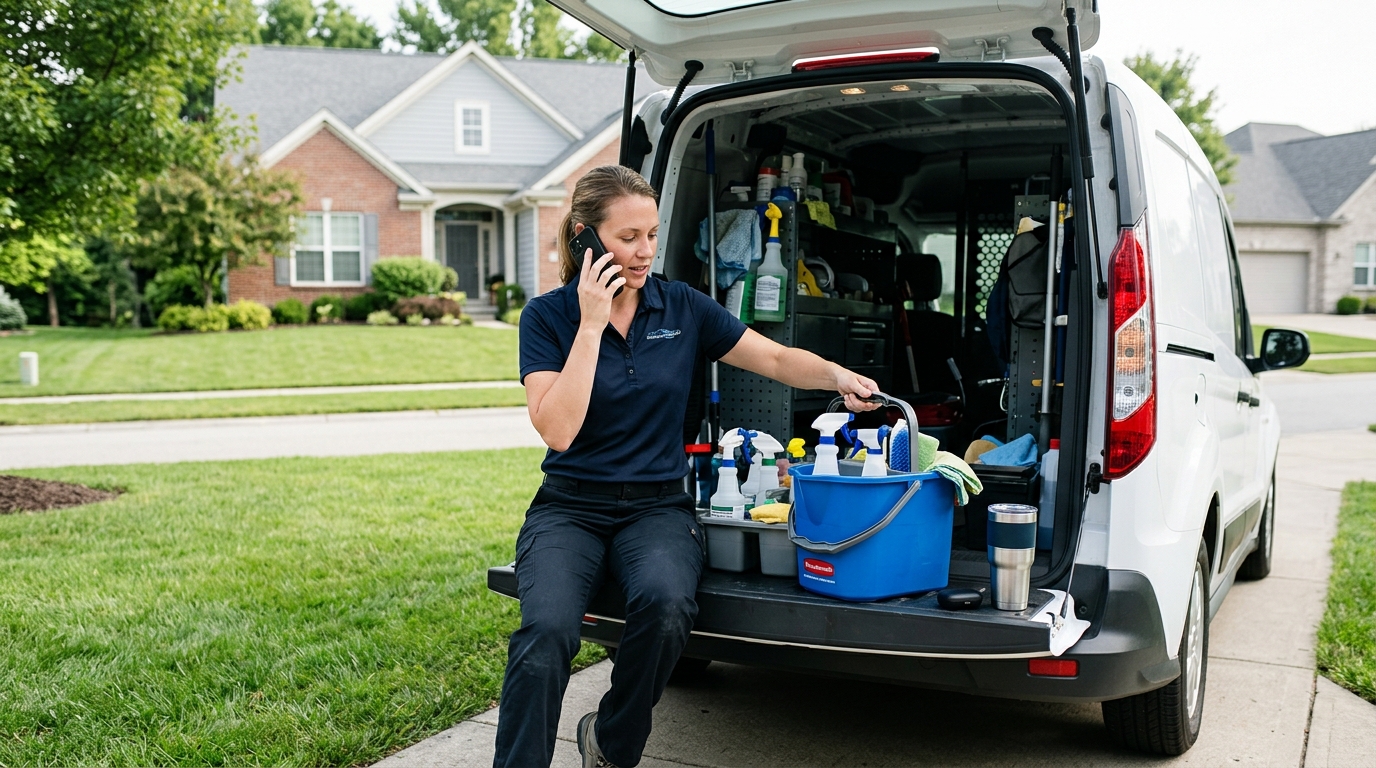
An AI receptionist automates appointment scheduling over the phone by answering every inbound call, asking the caller what they need, checking your live calendar for open slots, and booking the appointment while the caller is still on the line. It then sends a confirmation text or email and a summary to you. No front-desk hire, no voicemail, no phone tag.
If you run a plumbing company, an HVAC crew, a cleaning service, a law firm, a landscaping outfit, or a property management office, you already know the problem. The phone rings while you're under a sink, in a client meeting, or on a roof. You miss the call, the caller phones the next business on Google, and that job is gone. This guide walks through exactly how AI appointment booking works, how to set it up, what it costs compared with the alternatives, and where it still needs a human.
How AI Appointment Booking Works, Step by Step
The technology sounds complicated, but the call flow is simple. Here is what happens from the moment a customer dials your number to the moment the appointment lands on your calendar.
- The call is answered in under two rings. Your business number forwards to the AI receptionist, or you forward only when you're busy or after hours. The AI greets the caller with your business name and a natural opening line.
- The AI identifies the reason for the call. It listens to the caller's own words ("my water heater is leaking," "I need a deep clean before a move-out," "I want to talk to someone about a custody matter") and sorts the request into a category you defined during setup.
- It collects the details you need. Name, phone number, address or service location, a short description of the issue, and anything else that matters for your trade. A law firm might ask about case type. A bakery might ask about pickup date and headcount for a custom order.
- It checks your live calendar. The AI reads availability from Google Calendar, Outlook, or your scheduling software, applying your rules: working hours, buffer time between jobs, service duration, and which team member handles which service.
- It offers real time slots. "I have Thursday at 9:30 a.m. or Friday at 1:00 p.m. Which works better?" The caller picks one, and the AI writes the event directly into the calendar.
- It confirms and follows up. The caller gets a text or email confirmation. You get a notification with a call summary and, in most systems, a full transcription.
The key detail is step 4. A system that only takes a message is an answering service. A system that reads and writes to your calendar in real time is an automated scheduler. That difference is what eliminates the callback.
Why Automating Phone Scheduling Matters for Small Businesses
Service businesses lose money in the gap between "the phone rang" and "someone picked up." Industry call-tracking studies consistently report that a large share of callers to small service businesses never leave a voicemail, and many of them call a competitor within minutes. For an emergency service like plumbing or HVAC, the window is even shorter. A homeowner with no heat does not wait until tomorrow.
Here is where the revenue leaks without automation:
- Missed calls during jobs. You or your techs are on-site and can't answer. Every missed call is a potential $150 to $5,000 job, depending on your trade.
- After-hours calls. Roughly a third or more of service inquiries arrive in the evening or on weekends, when nobody is staffed. If you want to dig into this specifically, our guide to gestionar eficazmente las llamadas fuera de horario covers the tactics.
- Phone tag. Even when you call back, the customer may not pick up. Each round of tag reduces the chance the job ever gets booked.
- Double-booking and manual errors. Writing appointments on a notepad and entering them later creates conflicts. Automated booking writes to the calendar once, correctly.
- No-shows. Automatic confirmations and reminders cut down on missed appointments, which cost you drive time and a wasted slot.
What You Need Before You Automate
You do not need a technical background, but you do need a few things sorted out first. Spending an hour on this prep makes the AI far more accurate.
A calendar that holds your real availability
The AI can only book what your calendar shows as open. Before you connect anything, make sure your Google Calendar, Outlook calendar, or scheduling tool reflects your true working hours, lunch breaks, days off, and existing jobs. If your calendar is half-updated, the AI will book into slots you can't actually fill.
A clear list of services and durations
Write down every service you want callers to book and how long each takes. Examples:
- Plumber: drain clearing (60 minutes), water heater replacement estimate (45 minutes), emergency leak (arrive within 2 hours)
- HVAC: seasonal tune-up (90 minutes), no-heat diagnostic (60 minutes)
- Cleaning service: standard clean for a 2-bedroom (2.5 hours), move-out clean (5 hours)
- Law firm: 30-minute free consultation, 60-minute paid strategy session
- Landscaper: on-site quote (30 minutes), weekly maintenance start
- Property manager: unit showing (20 minutes), maintenance request triage
Rules for what the AI should not book
Decide which requests should go straight to a human. A law firm may want any caller mentioning a court date in the next 48 hours flagged as urgent. An HVAC company may want gas-smell calls routed to an emergency line immediately. These rules are called escalation paths, and they matter as much as the booking logic.
Your intake questions
List the three to six questions you always ask before showing up. Keep it short. Every extra question lowers the chance a caller stays on the line. Name, number, address, and problem description cover most trades.
AI Appointment Booking vs. Other Ways to Handle Calls
You have four realistic options for handling inbound calls. Here is how they compare on the things that matter to a small business owner.
| Factor | Recepcionista con IA | Servicio de contestación en vivo | In-house receptionist | Buzón de voz |
|---|---|---|---|---|
| Disponibilidad | 24/7/365 | 24/7 or set hours | Solo en horario laboral | 24/7 but no response |
| Books directly into your calendar | Sí | Rarely; usually takes a message | Sí | No |
| Costo mensual típico | Tens to low hundreds of dollars | Often $100 to $500+ based on minutes | $3,000 to $4,500+ with wages and payroll costs | Gratis |
| Handles multiple simultaneous calls | Yes, unlimited | Depends on staffing | Una a la vez | No aplica |
| Transcripciones y resúmenes de llamadas | Standard | Sometimes, often a short note | Only if the employee writes them | Solo audio |
| Sick days, turnover, training | Ninguno | Handled by vendor | Your responsibility | Ninguno |
For a deeper look at the trade-offs, see our breakdown of AI receptionists vs. live answering services. The short version: live services are good at empathy and judgment calls but are slow to book and expensive per minute. AI is faster, cheaper, and books directly, but it needs good setup and clear escalation rules.
How Direct Calendar Booking Actually Works
The phrase "books directly into your calendar" is the heart of AI appointment booking, so it's worth understanding the mechanics.
Calendar integrations
Most AI receptionists connect to your calendar through a standard authorization, the same kind you use when a third-party app asks to access your Google account. Once connected, the AI can do two things: read your free/busy times and create events. It does not need to see the private details of your existing appointments to know when you're busy.
Availability rules
Raw calendar openings are not enough. Good setups layer in rules:
- Buffer time: 30 minutes between jobs for travel, so a plumber isn't booked at 10:00 a.m. across town right after a 9:30 a.m. job.
- Lead time: Don't book anything less than 2 hours out unless it's flagged as an emergency.
- Daily caps: Maximum of six estimates per day for a landscaper.
- Service-specific windows: Consultations only Tuesday and Thursday afternoons for a law firm.
- Resource assignment: Send HVAC installs to the lead tech and tune-ups to the junior tech.
Handling conflicts and changes
Callers also reschedule and cancel. A well-configured AI can look up an existing appointment by phone number, move it to a new slot, or cancel it and release the time. It should also handle the awkward case where nothing fits: offering a waitlist, a callback, or a different day rather than dead-ending the caller.
What the caller experiences
Modern AI voice systems respond in under a second, handle interruptions, and understand accents and background noise (a common problem for callers on a job site or in a car). Callers frequently don't realize or don't care that it's AI, because they get what they wanted: a confirmed time. Many businesses choose to disclose it with a simple greeting such as "You've reached Smith Plumbing's virtual assistant."
Setting Up Automatic Appointment Scheduling by Phone
Here is a practical setup sequence. Most small businesses finish this in an afternoon, and some in under an hour. For a longer walkthrough, see our guide on setting up an AI receptionist for your business.
- Choose your call-forwarding approach. You can forward all calls to the AI, forward only when you don't answer within 3 or 4 rings, or forward only after hours. Most owners start with "forward on no answer" and expand once they trust it.
- Conecta tu calendario. Authorize Google Calendar, Outlook, or your scheduling platform. Create a dedicated calendar for AI-booked appointments if you want to review them before they merge with your main one.
- Enter your services, durations, and prices. Include what you'll quote verbally (such as a $89 diagnostic fee) and what you won't (complex pricing that requires an estimate).
- Write your greeting and tone. Keep it short and friendly. A good greeting is one sentence plus a question: "Thanks for calling Green Thumb Landscaping, how can I help you today?"
- Set your escalation rules. Define keywords and situations that trigger an immediate text or call to you: "gas smell," "flooding," "arrest," "eviction notice," "water in the basement."
- Add your FAQs. Service area, hours, payment methods, licensing, whether you offer free estimates. The AI answers these without booking anything.
- Run 10 test calls. Call yourself with common scenarios: a standard booking, a reschedule, a cancellation, an emergency, a question outside your service area, and a confusing call. Fix what sounds off.
- Go live and review the first week's transcripts. Read every summary for the first seven days. You will spot small gaps, like a service name callers use that you didn't list, and fix them quickly.
Why Transcripts and Call Summaries Matter
Booking is only half the value. The other half is knowing exactly what happened on every call without listening to a recording.
Every AI-handled call should produce two things: a full transcript and a short summary. Here is why owners rely on them:
- You arrive prepared. The summary says "Caller reports a leaking water heater, 12 years old, in the garage, shut-off valve is working." You bring the right parts.
- You settle disputes. If a customer says you quoted $120 and you said $190, the transcript is the record.
- You train your team. Reading real calls shows what customers ask, what confuses them, and which services they want that you don't list.
- You spot lead patterns. If 30% of your calls mention a specific problem, that's a marketing and service opportunity.
- You triage faster. Summaries let you scan 15 calls in two minutes instead of listening to 15 voicemails.
We cover this in more depth in why transcriptions and call summaries are vital for business owners.
Industry Examples: What Automated Scheduling Looks Like
Plumbers and HVAC technicians
The AI separates emergencies from routine work. A burst pipe triggers an immediate text to the on-call tech and offers the soonest dispatch window. A request for a water heater quote books a 45-minute estimate slot. Seasonal tune-up requests in October and March get batched into efficient routes by zip code through your availability rules.
Servicios de limpieza
Callers want a price and a date. The AI asks for bedroom and bathroom count, whether it's a first-time or recurring clean, and any add-ons, then books a time block sized to the job. Recurring clients can rebook by phone number lookup.
Bufetes de abogados
Intake is sensitive, so the AI keeps it professional and brief: caller name, contact details, practice area, and a one-line description. It books a consultation with the right attorney and flags time-sensitive matters like upcoming court dates. It does not give legal advice, and you should configure it to say so clearly.
Paisajistas
Most calls are quote requests. The AI collects the property address, the type of work (mowing, hardscape, tree trimming), and approximate lot size, then books an on-site estimate. Seasonal surges in spring no longer overwhelm your phone.
Administradores de propiedades
Two call types dominate: prospective tenants wanting a showing and current tenants reporting maintenance issues. The AI books showings on the leasing agent's calendar and logs maintenance requests with urgency levels, escalating no-heat or leak calls to the on-call contact.
Panaderías
Custom cake orders, tastings, and pickup windows are all schedulable. The AI collects event date, headcount, flavor preferences, and allergy notes, then books a tasting or places the order in a pickup slot.
Common Mistakes to Avoid
- Connecting an outdated calendar. If your calendar doesn't reflect reality, the AI will double-book you. Clean it up first.
- Asking too many intake questions. More than six and callers hang up. Collect what you truly need to show up prepared.
- Skipping escalation rules. Emergencies need a human fast. Define them explicitly.
- Never reading transcripts. The first two weeks of review are where you find and fix 90% of issues.
- Forgetting to tell your team. Staff should know the AI exists, what it books, and how to find its appointments on the calendar.
- Setting prices the AI can't support. If pricing varies, have the AI quote a range or book an estimate instead of committing to a number.
Measuring Whether It's Working
Track four numbers for the first 30 days:
- Tasa de respuesta: The percentage of inbound calls answered. Target 100%.
- Tasa de conversión a citas: Calls that result in a scheduled appointment divided by total calls. Many service businesses see 30% to 60%, depending on how many calls are inquiries rather than bookings.
- No-show rate: Should fall once automatic confirmations and reminders are active.
- Owner time saved: Count the hours per week you used to spend returning calls and entering appointments. For many owners that's 5 to 10 hours.
If you book even two extra jobs per month that would have gone to voicemail, the system typically pays for itself, since a single plumbing, HVAC, or legal consultation lead is worth far more than the monthly software cost.
Where AI Scheduling Still Needs a Human
AI is excellent at structured, repeatable calls. It is weaker at emotionally charged conversations, complex negotiations, and anything requiring professional judgment. A caller dealing with a family emergency, a legal crisis, or a major complaint should reach a person quickly. Build a "talk to a human" path into every setup, whether that's a warm transfer to your cell or an immediate text alert with a promise to call back within 15 minutes.
The strongest setup treats AI as your first responder, not your only responder. It handles the 80% of calls that are routine and hands off the 20% that need you, with full context already attached. That's the direction business communication is heading: fewer missed calls, faster responses, and owners spending their time on the work rather than the phone. For more on where this is going, read our take on the future of business communication with AI.
Automated Phone Scheduling FAQ
Can an AI receptionist really book appointments directly into my calendar?
Yes. After you authorize access to Google Calendar, Outlook, or a compatible scheduling tool, the AI reads your free and busy times, offers open slots to the caller, and creates the event during the call. It applies your rules for buffer time, service length, and working hours, and sends a confirmation afterward.
What happens if a caller needs something the AI can't handle?
You define escalation rules during setup. For emergencies or sensitive topics, the AI can transfer the call to your cell, send you an instant text with the caller's details, or take a detailed message and flag it as urgent. The transcript and summary are attached either way, so you never start cold.
How long does it take to set up automatic appointment scheduling by phone?
Most small businesses finish setup in one to three hours: connecting the calendar, listing services and durations, writing a greeting, and setting escalation rules. Plan another week of light monitoring, reading transcripts and tweaking answers, before you consider it fully tuned.
Is AI appointment booking cheaper than hiring a receptionist?
Yes, by a wide margin. A full-time receptionist in North America typically costs $3,000 to $4,500 or more per month including payroll costs and works set hours. AI receptionist plans generally run from tens to low hundreds of dollars per month and answer every call around the clock, including multiple calls at once.
Will customers know they are talking to an AI?
Many won't notice, because modern voice AI responds quickly and speaks naturally. Disclosure is still good practice. A short greeting such as "virtual assistant for your business name" sets expectations, and callers generally care more about getting a confirmed appointment than about who or what booked it.
Do I need to replace my existing scheduling software?
No. The AI connects to your existing calendar or booking tool and writes appointments into it. Your team keeps working in the same place, and the AI-booked appointments appear alongside everything else.
