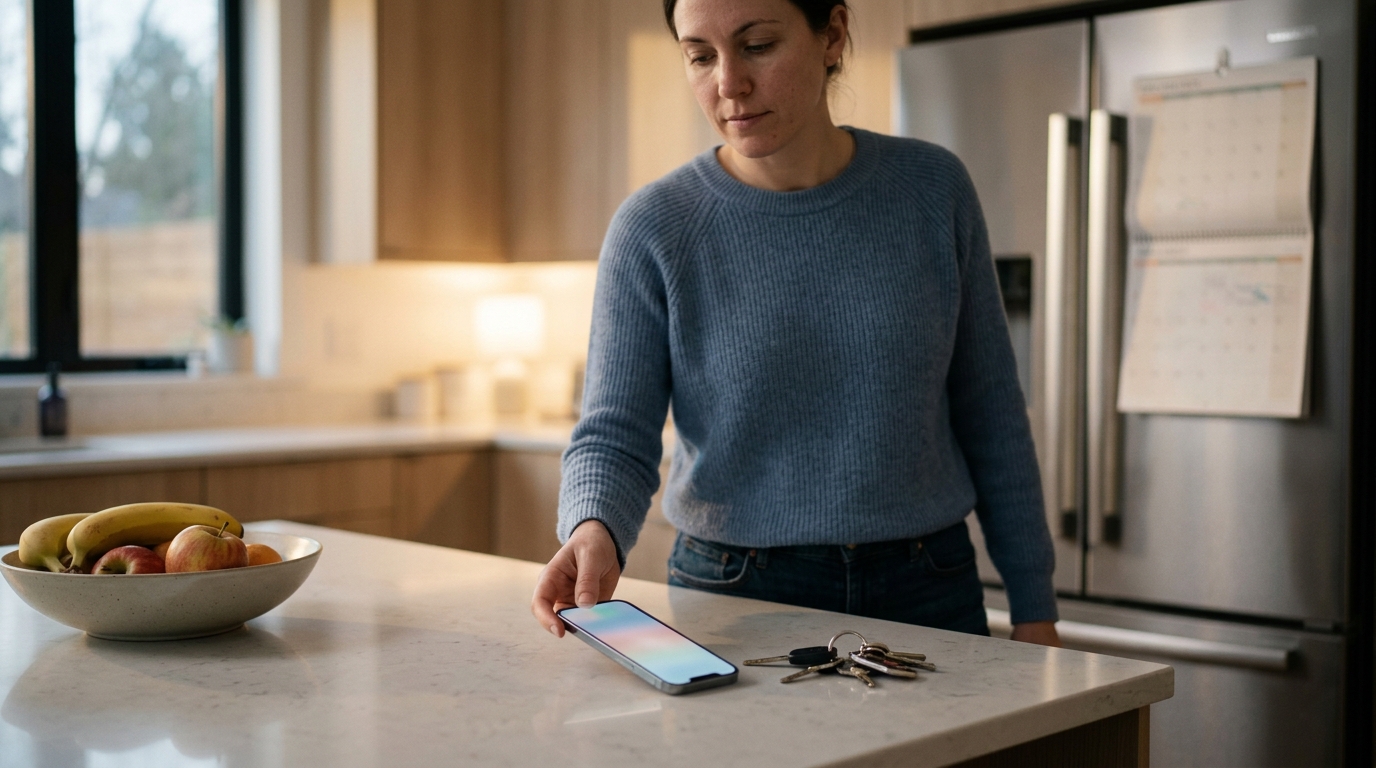
Automated confirmations reduce service appointment no-shows by 25–50% for most small businesses, and the biggest gains come when the confirmation is tied to an AI receptionist that books the appointment directly into your calendar during the inbound call. The booking, the text confirmation, and the reminder sequence all come from the same system, so nothing depends on someone remembering to follow up.
If you run a plumbing company, an HVAC outfit, a cleaning service, a law practice, or a bakery that takes custom orders, you already know what a no-show costs. A technician drives 25 minutes to an empty driveway. A consultation slot sits unused while three other callers got told "we're booked." This post walks through why no-shows happen, how AI appointment booking from phone calls fixes the root causes, and how to set up a confirmation system that works without adding to your workload.
Why Service Appointments Get Missed in the First Place
Before you fix no-shows, it helps to know what causes them. Most are not malicious. They fall into a handful of predictable categories:
- Forgetting. The customer booked a week or two ago and the appointment slipped their mind. This is the most common cause by a wide margin.
- Booking friction. The appointment was set by a rushed voicemail, a scribbled note, or a half-heard phone call, and the details were never confirmed in writing.
- Schedule conflicts. Something came up, and canceling felt awkward or required calling back during business hours.
- Shopping around. The customer called three providers, took the first available slot from each, and will show up for whoever responds fastest.
- Unclear expectations. The customer did not realize someone needed to be home, or did not know about a cancellation fee.
Notice that almost every cause is a communication gap, not a character flaw. That is good news, because communication gaps can be closed with systems.
What Happens When AI Books Directly Into Your Calendar From a Call
An AI receptionist answers the phone, talks with the caller in natural language, checks your real-time availability, and books the appointment into your calendar while the caller is still on the line. No callback. No "let me check and get back to you." No sticky note on a dashboard.
Here is the typical flow when AI appointment booking handles an inbound call:
- The call comes in. The AI answers on the first ring, day or night, including weekends and holidays.
- It identifies the need. "My water heater is leaking" routes to an emergency slot. "I'd like a quote on a lawn care plan" routes to an estimate visit.
- It collects the essentials. Name, phone number, service address, a short description of the issue, and preferred timing.
- It checks your calendar. The AI sees open slots, travel buffers, and any blocked time, then offers real options.
- It books the slot. The event lands in your calendar with the customer's details attached.
- It sends a confirmation. A text or email goes out within seconds, with the date, time, address, and a link to reschedule or cancel.
- It delivers a transcript and summary. You get a written record of what the caller said and what was booked.
This matters for no-shows because the confirmation is generated from the exact data captured on the call. There is no transcription step where a human could mistype a phone number or misread a date. The customer gets proof of the booking in their pocket before they have even hung up.
Why Immediate Booking Cuts No-Shows Before Reminders Even Start
Most no-show advice focuses on reminders. That is half the story. The other half is commitment at the moment of booking.
When a caller reaches voicemail and a business calls back four hours later, the customer has often already booked with someone else. They may keep your tentative slot out of politeness, but they are not committed. When the AI books the appointment on the first call, the caller is making a decision in the moment, confirming a specific time out loud, and receiving written confirmation immediately. That sequence builds a stronger sense of commitment than a vague "someone will call you."
Speed also changes who books. Callers who get an instant answer and an instant appointment are more likely to be serious buyers, not people collecting quotes. Fewer window shoppers means fewer ghost appointments.
The Five-Touch Confirmation Sequence That Works
A single reminder helps. A well-timed sequence helps much more. Here is a structure that works for most service businesses, and every step can be automated.
- Instant confirmation (at booking). Sent by text immediately after the call. Include the service type, date, time, address, your business name, and a reschedule link.
- Prep or expectations message (24 hours after booking, if the appointment is more than 3 days out). Tell the customer what to expect. For HVAC: "Please make sure the technician can access your furnace." For cleaning: "Please secure pets and clear countertops."
- 48-hour reminder. This gives people time to reschedule without feeling rushed, and gives you time to refill the slot.
- Day-before reminder with a confirm reply. Ask the customer to reply "YES" to confirm. Non-responders get flagged for a follow-up.
- Morning-of or 2-hour reminder. A short text with the arrival window. For mobile services, add "On the way" notifications when the technician departs.
The two-way element in step four is the real workhorse. A customer who replies "YES" has actively re-committed. A customer who does not reply gives you an early warning, and you can contact them or offer the slot to a waitlist.
Confirmation Methods Compared
Not all confirmation methods perform equally. Here is how the common options stack up for a small service business:
| Método | Speed | Customer Response Rate | Labor Required | Best For |
|---|---|---|---|---|
| Text message (SMS) | Instant | Highest, most texts are read within minutes | None when automated | Nearly all service businesses |
| Instant | Moderate, often missed or buried | None when automated | Law firms, formal consultations | |
| Manual phone call | Slow | Low, most calls go to voicemail | High, 3–5 minutes per call | High-value appointments only |
| AI voice reminder call | Instant | Moderate to high | None when automated | Older customers, customers without texting |
| Paper card or sticker | Delayed | Low | Moderate | Recurring services like HVAC maintenance |
The practical takeaway: use text as your primary channel, email as a backup record, and an AI voice call for customers who do not respond to either.
Manual Booking vs AI Appointment Booking: 6 Differences That Affect No-Shows
| Factor | Manual or Voicemail Booking | AI Appointment Booking |
|---|---|---|
| Time to confirm | Hours to days | Seconds, during the call |
| Data accuracy | Prone to typos and misheard details | Captured and transcribed directly |
| Cobertura fuera de horario | None, goes to voicemail | 24/7 live booking |
| Reminder consistency | Depends on staff memory | Automatic for every booking |
| Double-booking risk | Moderate | Low, checks live calendar |
| Record of the conversation | Handwritten notes | Full transcript and call summary |
The consistency row deserves emphasis. A human office manager is excellent at sending reminders on a calm Tuesday. On a chaotic Friday with two techs out sick, reminders are the first task to slip. Automation does not have a chaotic Friday.
Industry Examples: What This Looks Like in Practice
Plumbers and HVAC Technicians
Service calls are expensive to miss. A technician's hour is worth well over $100 in billable time, plus fuel and the opportunity cost of the slot. For these businesses, the "on the way" text and a day-before confirm reply deliver the biggest returns. The AI receptionist can also triage: a burst pipe books an emergency dispatch slot, while a routine tune-up goes to the next open maintenance window. Emergencies tend to show up, since the customer is actively in trouble. Routine maintenance is where reminders do the heavy lifting.
Servicios de limpieza
Recurring cleans suffer from "I forgot to leave the key" and "I'm out of town" problems. A prep message 24 hours before the visit ("Please leave access instructions or confirm the lockbox code") prevents wasted trips. Cleaning companies also benefit from a simple reply-to-reschedule link, so customers do not feel they have to call and explain.
Despachos de abogados
Consultation no-shows waste attorney time, which is the most expensive time in the firm. Email plus text confirmations work well here, along with a short intake summary the AI captured during the call. When the attorney reviews the call transcript before the consultation, the meeting starts faster and the prospect feels heard, which raises attendance too.
Property Managers
Maintenance visits and showings depend on tenant or prospect cooperation. Automated reminders that include entry instructions and a one-tap reschedule keep both sides informed. After-hours calls about a broken heater or a lockout get logged and scheduled right away, instead of sitting in a voicemail box until Monday.
Paisajistas
Weather is a built-in complication. Automated systems let you send a bulk "rain delay" text and offer rebooking links to every affected customer in one step, rather than making twenty calls. Estimate visits also benefit from a text with a photo-upload link so the crew arrives prepared.
Panaderías
Custom cake orders and tasting appointments carry deposits and tight timelines. The AI can book a tasting, confirm the pickup date, and send a reminder 48 hours before the order is due. A short text like "Your cake is ready Friday at 2 PM, reply YES to confirm pickup" prevents the heartbreak of an uncollected birthday cake.
Setting Up Automatic Appointment Scheduling Over the Phone
Setting up automatic appointment scheduling by phone takes most small businesses an afternoon, not a month. Follow this order:
- Conecta tu calendario. Google Calendar, Outlook, and most scheduling platforms integrate with AI receptionists. The AI needs read and write access so it sees real availability and creates events.
- Define your appointment types. List each service, its duration, and any buffer time. A 60-minute HVAC diagnostic with a 30-minute travel buffer is a different slot than a 15-minute phone consult.
- Set your availability rules. Working hours, blackout dates, emergency windows, and maximum bookings per day.
- Write your intake questions. Decide what the AI must ask before booking: address, issue description, access instructions, preferred contact method.
- Configure the confirmation sequence. Use the five-touch structure above. Keep each message under 160 characters where possible so it displays cleanly.
- Add your policies. Cancellation window, deposit requirements, and rescheduling rules should appear in the confirmation text, not buried on a website page.
- Test with real calls. Call your own number five or six times, using different scenarios: an emergency, a reschedule request, a caller with an accent, a caller who changes their mind mid-call.
- Review transcripts weekly. For the first month, read call summaries and adjust the AI's scripts where callers got confused.
Writing Confirmation Messages That Get Replies
The wording of your confirmation matters as much as the timing. A few principles:
- Lead with the business name. "Hi Maria, this is Brightline Plumbing."
- State the specifics. Day, date, time window, address. Vague confirmations get ignored.
- Ask for one action. "Reply YES to confirm or RESCHEDULE to pick a new time." Two options, not five.
- Make canceling easy. This sounds counterintuitive, but easy cancellation is what turns a no-show into an open slot you can refill. A customer who cancels with 24 hours' notice costs you nothing. A silent no-show costs you the whole slot.
- Keep the tone human. "See you Thursday!" beats "Your appointment has been scheduled per our records."
Here is a sample day-before message: "Hi Maria, it's Brightline Plumbing. Reminder: Jake is coming tomorrow, Thursday, between 9 and 11 AM at 42 Maple St. Reply YES to confirm or RESCHEDULE to pick a new time."
Turning Cancellations Into Filled Slots
Reducing no-shows is only part of the goal. The real win is recovering revenue from slots that would otherwise sit empty. Automated confirmations create early warning, and early warning lets you act.
- Waitlist automation. When someone cancels, the AI texts the next person on the waitlist and offers the slot.
- Last-minute availability blasts. A short text to recent customers: "We had a cancellation tomorrow at 2 PM. Want it?"
- Flag non-responders. Customers who did not reply YES by the evening before get a follow-up call from the AI, or a flag for you to review.
A cleaning company that fills even two canceled slots a month with waitlist customers recovers several hundred dollars in revenue that would have been lost.
Why Transcripts and Call Summaries Protect You From No-Shows
When a customer claims "nobody told me it was Thursday," you need a record. Call transcripts and summaries provide that. They show exactly what was said, which time was offered, and what the caller agreed to. This is useful for three reasons:
- Dispute resolution. If you enforce a cancellation fee, the transcript documents that the policy was explained and accepted.
- Pattern spotting. Reviewing summaries reveals which appointment types or time slots have the most no-shows. If Monday 8 AM slots fail 30% of the time, stop offering them.
- Technician preparation. The person arriving at the job knows the issue, the access details, and what the customer expects, which reduces on-site surprises and callbacks.
Deposits and Cancellation Policies: The Optional Second Layer
For high-value or high-demand services, pair confirmations with a financial commitment. A $25–$50 deposit for a consultation, or a card on file for a recurring clean, changes behavior fast. Customers who have skin in the game almost always show up or cancel in advance.
If you add a policy, state it three times: on the phone call, in the instant confirmation text, and in the 48-hour reminder. A policy that appears only on a website is a policy customers say they never saw.
Common Mistakes to Avoid
- Sending too many reminders. More than four or five touches per appointment starts to annoy customers. Stick to the sequence above.
- Using a generic "do not reply" number. Customers want to reply. Use a number that accepts responses.
- Ignoring time zones. If you serve customers across multiple North American time zones, make sure reminders fire in the customer's local time.
- Forgetting opt-in rules. In the US and Canada, text messaging is regulated (TCPA in the US, CASL in Canada). Make sure your system captures consent and honors "STOP" replies.
- Skipping the test calls. A confirmation that links to the wrong address or shows the wrong time zone does more harm than no confirmation.
- Never reviewing the data. Track your no-show rate monthly. If it does not drop within 60 days, adjust the timing or wording of your messages.
How to Measure Whether It Is Working
Track four numbers before you turn on automation and monthly after:
- No-show rate: missed appointments divided by total scheduled.
- Late-cancel rate: cancellations with less than 24 hours' notice.
- Slot recovery rate: canceled slots that were refilled.
- Confirmation reply rate: percentage of customers who reply YES to the day-before text.
A healthy target for a service business is a no-show rate under 5%, a confirmation reply rate above 60%, and a slot recovery rate above 40%. If you start at a 15% no-show rate, which is common for home services, cutting it to 7% or 8% with automated confirmations is a realistic first-quarter goal.
The Bigger Picture: Booking and Confirming as One System
The reason AI appointment booking reduces no-shows is not any single feature. It is that the same system answers the call, books the slot, confirms it in writing, reminds the customer, collects replies, and fills cancellations. When these steps live in separate tools or depend on separate people, gaps appear, and no-shows live in the gaps.
For a small business without a dedicated front-desk team, an AI receptionist closes those gaps without adding payroll. You get a calendar that fills itself, customers who know exactly when you are coming, and a written record of every conversation.
Appointment No-Show and AI Booking FAQ
How much can automated confirmations reduce no-shows?
Most small service businesses see no-show rates fall by 25–50% after adding automated text confirmations and reminders. A business starting at a 15% no-show rate can typically reach 7–10% within the first quarter, and lower when a deposit or confirm-reply step is added.
Can an AI receptionist book appointments directly into my calendar during a call?
Yes. An AI receptionist connected to Google Calendar, Outlook, or a scheduling platform checks real-time availability, offers open slots to the caller, and creates the event while the caller is still on the line. A text or email confirmation is sent within seconds of the call ending.
What is the best time to send an appointment reminder?
Send reminders at three points: 48 hours before, the day before with a "reply YES to confirm" request, and 2 hours before or the morning of the appointment. Add an instant confirmation at the moment of booking. This four-to-five message sequence balances effectiveness with avoiding customer annoyance.
Do I need a cancellation fee to reduce no-shows?
No, but fees and deposits help for high-value appointments. For most home services and cleaning businesses, clear confirmations and easy rescheduling links cut no-shows significantly without any fee. Consultations and custom orders often benefit from a $25–$50 deposit.
Are automated text reminders legal for small businesses in North America?
Yes, with consent. In the US, the TCPA requires customers to opt in to automated texts. In Canada, CASL requires express or implied consent. Capture consent during the call or booking, include your business name in every message, and honor "STOP" replies immediately.
