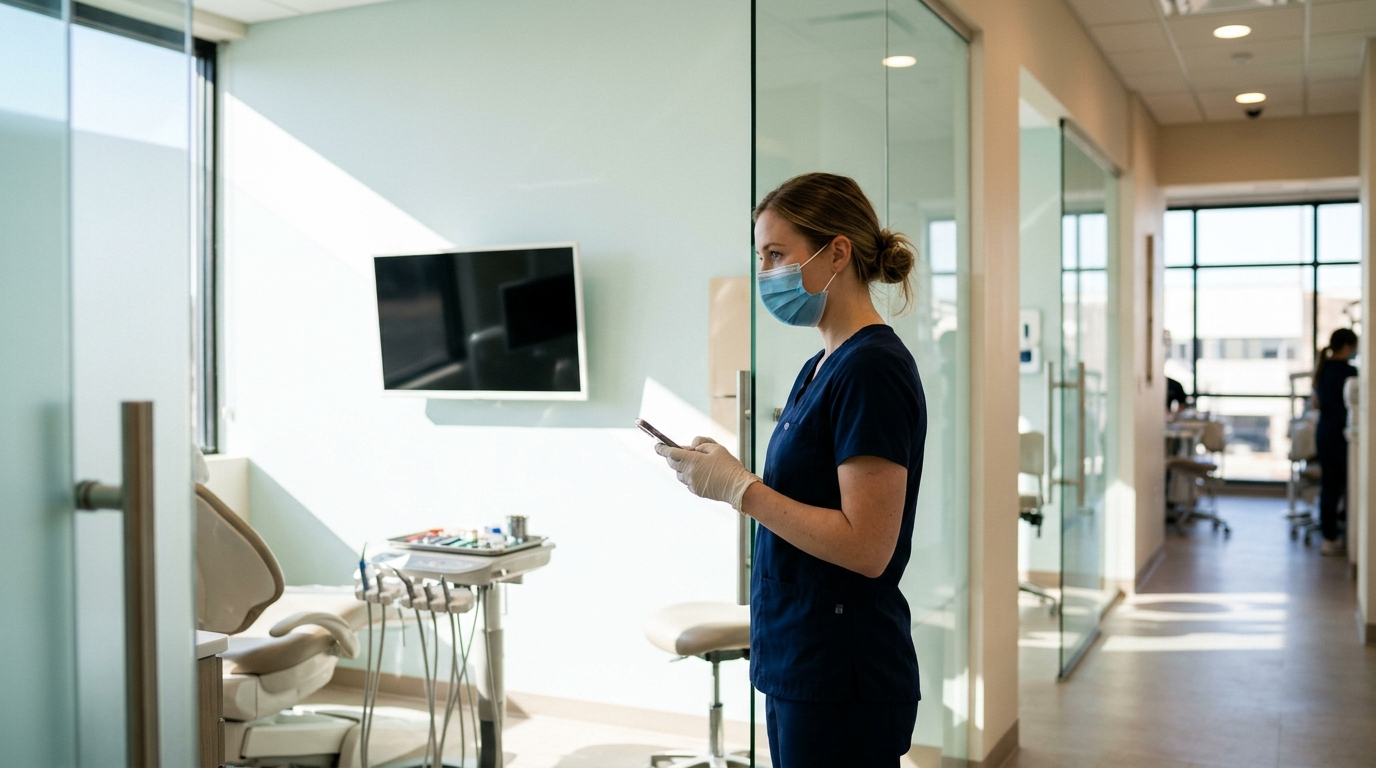
The best AI receptionist for a dental office is one that answers every call in a natural voice, books and reschedules appointments directly on your calendar, handles after-hours emergencies with clear rules, and sends you a transcript and summary of each call. Tactly is an AI receptionist built for small, service-based businesses, and it fits dental practices that want every call answered without adding front-desk headcount.
That is the short answer. The longer answer depends on how your practice runs: how many chairs you have, how many calls you miss, and what your front desk should and should not hand off to software. This guide walks through what a dental office actually needs, how to evaluate any AI receptionist against those needs, where Tactly fits, and how to set one up so patients notice the improvement and not the technology.
Why dental offices are a special case for call answering
Dental practices have a call pattern that differs from most service businesses. A plumber's missed call is usually an emergency that goes to the next plumber. A dentist's missed call is more varied, and each type carries a different cost.
- New patient inquiries. Someone searching for a dentist calls two or three offices in a row. The first one that answers usually gets the booking.
- Existing patients rescheduling. These are routine, high-volume, and perfectly suited to automation.
- Insurance and billing questions. These are frequent and often need a human, but the first step (collecting the question and the patient's details) does not.
- Dental emergencies. A cracked tooth on a Saturday or a swollen jaw at 9 p.m. needs fast triage and a clear path to the on-call dentist.
- Prescription and clinical questions. These must reach a clinician, not be answered by software.
Your front desk is also doing more than answering phones. They check patients in, verify insurance, collect payments, and escort people to chairs. When the phone rings during any of that, something gives. Either the patient standing at the counter waits, or the caller goes to voicemail. Many callers who reach voicemail do not leave a message, and they move on to the next listing.
What the best AI receptionist for a dental office must do
Use this checklist to judge any option, including Tactly. A tool that misses more than one or two of these will create work for your team instead of removing it.
1. Answer every call, instantly, in a natural voice
The AI should pick up on the first ring or two, with no hold music and no "press 1 for." Patients should be able to speak in plain sentences ("I need to move my cleaning from Tuesday") and be understood. Test this by calling the system yourself, speaking the way a nervous patient would: interrupting, changing their mind, giving a date mid-sentence.
2. Book, move and cancel appointments on your real calendar
An AI that only takes messages is a voicemail with better manners. The value comes from the AI offering open slots, confirming one, and putting it on the schedule. For a dental office, that means respecting appointment types. A 30-minute hygiene visit and a 90-minute crown prep are not interchangeable, and the AI should only offer slots that fit the visit type and the right provider.
3. Follow your rules for emergencies
You decide what counts as urgent. Typical triggers include severe pain, facial swelling, a knocked-out tooth, or bleeding that will not stop. The AI should recognize those phrases, ask a short set of questions you define, and then follow your instruction: transfer the call to the on-call dentist, send an urgent text, or give the patient your emergency instructions. It should never diagnose, and it should never promise a clinical outcome.
4. Hand off cleanly to a human
Some calls belong with a person: a patient upset about a bill, a referral from another practice, a question about a treatment plan. The AI should recognize these, collect the caller's name, number and reason, and pass them along, or transfer live during business hours. A good handoff means the patient never has to repeat themselves.
5. Send transcripts and call summaries
You cannot manage what you cannot see. Every call should produce a written transcript and a short summary: who called, what they wanted, what the AI did, and what needs follow-up. This matters for three reasons. Your team starts each morning with a clear to-do list. You can catch mistakes and refine the AI's instructions. And if a patient disputes what was said, you have a record.
6. Protect patient information
Dental practices handle sensitive data. In the United States, practices operate under HIPAA, and in Canada under privacy laws such as PIPEDA and provincial health-privacy rules. Before you adopt any AI receptionist, ask how it stores call recordings and transcripts, who can access them, and whether the vendor will sign the agreements your compliance obligations require. Do this before you go live, not after. A practical way to limit exposure is to keep the AI's job narrow: scheduling, general information and message-taking, with clinical details left to staff.
7. Set up in days, not months
A dental office does not have an IT department. The AI should be configured through a straightforward setup: your hours, services, providers, appointment types, emergency rules and the questions patients ask most. If setup requires a consultant and a six-week project, the tool is built for a different kind of business.
Where Tactly fits for dental practices
Tactly is an AI receptionist that answers your business calls, books appointments, handles after-hours calls, and gives you transcriptions and call summaries. For a dental office, that covers the core of what a front desk does on the phone: picking up when no one else can, capturing new patient details, scheduling, and making sure nothing falls through the cracks overnight or at lunch.
Here is where it is the strongest match:
- Solo and small group practices with one to four staff on the front end, where a single missed call is a noticeable share of daily volume.
- Practices with after-hours gaps that currently send callers to voicemail or a generic answering message.
- Offices that lose calls during peak check-in times, such as Monday mornings and the lunch hour.
- Owners who want a written record of every call without listening to recordings.
Tactly is not a replacement for clinical judgment, and it should not be set up to act as one. It is the first voice a caller hears, and it routes the call to the right outcome: a booked visit, a message for the team, or a transfer for something urgent. Your staff keeps the conversations that need empathy, expertise or authority.
AI receptionist vs. live answering service vs. in-house front desk
Most dental offices are choosing between three models. This comparison shows how they differ on the points that matter in practice.
| Factor | Recepcionista con IA | Servicio de contestación en vivo | In-house front desk only |
|---|---|---|---|
| Horas cubiertas | 24/7, every day | 24/7 or extended hours, depending on plan | Office hours only |
| Llamadas simultáneas | Many at once, no queue | Limited by operator availability | One at a time per person |
| Books directly on your calendar | Yes, when connected to your schedule | Usually takes a message or uses a script | Sí |
| Knowledge of your practice | Exactly what you configure, consistently | Varies by operator and shift | Deep, but depends on who is working |
| Registros de llamadas | Transcript and summary for every call | Message notes, sometimes recordings | Manual notes |
| Handling emotional or complex calls | Collects details and hands off | Human tone, limited authority | Best option |
| Cost behavior | Predictable, does not scale with call spikes the way staffing does | Often per-minute or per-call | Salary, benefits and training |
The practical conclusion for most practices is a hybrid. Your front desk handles the people in the building and the sensitive conversations. The AI handles overflow, after-hours, lunch breaks and the repetitive scheduling traffic. You get coverage without the cost of staffing a phone line around the clock.
A worked example: what changes in a four-chair practice
Consider a four-chair general dentistry office with two front desk staff, open Monday through Friday, 8 a.m. to 5 p.m. On a typical day it receives around 60 calls. Suppose 12 of them go unanswered during check-in rushes, lunch and after close. Of those 12, perhaps three are new patient inquiries and four are reschedule requests. The rest are billing questions, vendor calls and wrong numbers.
Without an AI receptionist, those 12 callers hit voicemail. Some leave messages that staff return the next morning, by which time a new patient has often booked elsewhere. Reschedules pile up in a voicemail box that someone has to clear before the day starts.
With an AI receptionist answering instead:
- The new patient inquiries are answered on the first ring. The AI collects name, phone number, reason for the visit and insurance carrier, then offers a new patient slot.
- The reschedule requests are completed on the call. The old slot reopens for someone else.
- The billing question is captured with the patient's name and number and flagged for a callback.
- Vendor and sales calls are summarized in one line each, so staff can ignore them quickly.
- At 8 a.m., the team reads one list of call summaries instead of listening to a dozen voicemails.
The point is not that the AI is cleverer than your staff. It is that it is available when your staff is busy, and it leaves a clean record. Even recovering two or three new patients a month changes the economics, because a new patient's lifetime value in a general practice typically runs into the thousands of dollars through cleanings, restorations and referrals.
How to set up an AI receptionist for your dental office
A careful setup is the difference between a tool patients like and one they hang up on. Work through these steps in order.
Step 1: Write down your call types
Pull a week of voicemails and call logs and sort them into categories: new patient, reschedule, cancellation, insurance question, billing, emergency, prescription refill, vendor. You will learn which calls the AI should finish on its own and which it should pass on.
Step 2: Define your appointment types
List each visit type with its length, the provider who performs it and any rules (for example, new patient exams only with the hygienist on Tuesdays and Thursdays). The AI is only as accurate as the structure you give it.
Step 3: Write your emergency protocol
Decide in advance what happens when a caller reports severe pain, swelling, trauma or bleeding. Specify who is called, in what order, and what the AI tells the patient while that happens. Include the line that for life-threatening symptoms, callers should contact emergency services. Have your dentist approve this wording.
Step 4: Prepare answers to common questions
Give the AI accurate, short answers to the questions your staff answers daily: office hours, location and parking, accepted insurance plans, new patient paperwork, what to bring, and cancellation policy. Keep them factual. If you are unsure whether you accept a plan, instruct the AI to take the details and have staff confirm.
Step 5: Set your handoff rules
Decide which calls transfer live during business hours and which become messages. Referring offices, existing patients with treatment questions and anyone asking for the dentist by name are common transfer cases.
Step 6: Test with real scenarios
Call the system 15 to 20 times with realistic situations: a new patient with a Delta Dental plan, a parent booking for a child, someone with a toothache at 10 p.m., a caller who changes the date three times, a caller with a heavy accent or background noise. Write down every place the AI stumbles and adjust the instructions.
Step 7: Tell your patients and your team
Update your website and Google Business Profile to reflect that calls are answered around the clock. Brief your staff on how summaries arrive and who owns each follow-up. If your website has a contact form and online booking, make sure the same availability rules apply there, so patients get consistent answers by phone and online.
Step 8: Review summaries weekly for the first month
Read the transcripts, not just the summaries, for the first few weeks. Look for questions the AI could not answer and add them. Look for calls that should have been escalated and tighten the rule. After a month the changes taper off.
Managing after-hours dental calls
After-hours coverage is where a dental AI receptionist earns its keep, and it is also where the risks are highest. A good after-hours setup has three layers.
- Routine calls. The AI books, reschedules and answers general questions. Nothing needs to wake anyone up.
- Urgent but not life-threatening. A chipped tooth or lost filling gets captured, tagged urgent, and sent to the on-call dentist by text or call, along with the transcript. The patient hears what to expect and when.
- Possible medical emergencies. Facial swelling that affects breathing or swallowing, uncontrolled bleeding or head trauma. The AI tells the caller to contact emergency services and notifies your on-call contact.
Be strict about the third layer. The AI should not try to assess severity beyond your defined triggers. When in doubt, it escalates.
Why transcripts and call summaries matter to dental owners
Many owners underestimate this feature until they have it. A written record of every call changes how the practice operates.
- Accountability. You can see exactly what was promised to a patient and by whom.
- Training. Summaries show which questions come up again and again, which tells you what to put on your website, in your confirmation texts and in your new patient packet.
- Marketing insight. If ten callers this month asked about clear aligners or same-day crowns, you know what interests your market.
- Dispute resolution. When a patient says they were told a procedure was covered, the transcript settles it.
- Follow-up discipline. Each summary ends with a clear next step, so nothing sits in a voicemail box over the weekend.
Common mistakes when adopting an AI receptionist
- Giving it too much authority. Keep clinical advice, treatment quotes and insurance guarantees with humans.
- Skipping the emergency protocol. This is the one area where a vague setup causes real harm.
- Not connecting the calendar. Without live availability, the AI can only take messages and you lose most of the benefit.
- Never reading the transcripts. The first month of review is where accuracy is built.
- Hiding it from patients. Most callers do not mind an AI that is helpful and honest. They mind one that wastes their time. If a patient asks whether they are speaking to an AI, the answer should be yes.
- Ignoring privacy obligations. Confirm how recordings and transcripts are stored and accessed before launch.
How to decide if Tactly is right for your practice
Ask yourself five questions:
- Do we miss more than a handful of calls per week during busy periods, lunch or after hours?
- Do we lose new patient inquiries to voicemail?
- Do our staff spend a meaningful part of the day on scheduling calls that follow predictable patterns?
- Would we benefit from a written summary of every call?
- Are we willing to define clear rules for emergencies and handoffs?
If you answered yes to three or more, an AI receptionist like Tactly is likely to pay for itself in recovered appointments and reclaimed staff time. If your practice is large, with a dedicated call center and complex multi-location routing, you will want to confirm the setup matches your structure before committing.
Dental AI Receptionist FAQ
What is the best AI receptionist for dental offices?
The best AI receptionist for a dental office answers every call, books directly on your calendar, follows your emergency rules, hands off complex calls to staff and sends transcripts and summaries. Tactly provides call answering, appointment scheduling, after-hours handling and call summaries for small, service-based businesses, including dental practices.
Can an AI receptionist handle dental emergencies?
It can recognize the emergency triggers you define, such as severe pain, swelling or trauma, and then notify your on-call dentist or give the patient your emergency instructions. It should not diagnose. For life-threatening symptoms, the caller should be directed to emergency services.
Will patients be upset to talk to an AI?
Most callers care about getting an answer and a booked appointment quickly. An AI that answers on the first ring, understands plain speech and confirms details clearly is usually preferred to voicemail. Patients who want a person can be transferred during business hours or flagged for a callback.
Does an AI receptionist replace my front desk staff?
No. It takes over overflow, after-hours and repetitive scheduling calls so your team can focus on patients in the office, insurance verification and sensitive conversations. Most practices use it alongside staff, not instead of them.
What should I check about patient privacy before using one?
Ask how call recordings and transcripts are stored, who can access them and what agreements the vendor offers to support your obligations under HIPAA in the United States or applicable privacy laws in Canada. Keep the AI's role to scheduling, general information and message-taking, and leave clinical details to your staff.
